Google Tag

Wednesday, August 31, 2022

QR Business Card Application for Android

Share your Contact Details with QR Code


Forget about paper business cards. Generate a QRCode with your contact details and share it with your clients or business associates fast and easy. Clients or business associates can scan the generated QRCode with your details, with their camera and add your contact to their device. If the device doesn't support QR Code scan from the camera they can use Google Lens or any other QR Code Scanner application.


It is very easy, just follow these steps:
1. Complete your personal details.
2. Tap Save icon.
3. Let others scan the QR Code.

Your details and generated QRCode will be there when you open again the application. If you change your details, you must tap the Save icon again.


There are two available profiles to choose between. You can use one profile to complete your information details in English and the second profile in your local language. By tapping Delete profile icon the current profile is deleted. The app remembers the profile that you used last time.

Also, if you choose Share QR Code image from the main menu, you can share the image of QR Code with any supported application from the android system of your device. For example, you can send it by email, Viber or Messenger message and others.

Features:
-Fast and easy.
-Secure - Your data is saved on your device.
-User friendly.
-Useful - No more paper business cards.


The QR Business Card application for Android is FREE!

Get it on Google Play.


Thursday, August 25, 2022

Privacy Policy for the "QR Business Card" application for android


Privacy Policy - 
QR Business Card

Konstantinos Kokoras built the QR Business Card app for Android as an Ad Supported app. This SERVICE is provided by Konstantinos Kokoras at no cost and is intended for use as is.

This page is used to inform visitors regarding our policies with the collection, use, and disclosure of Personal Information if anyone decided to use our Service.

If you choose to use our Service, then you agree to the collection and use of information in relation to this policy. The Personal Information that we collect is used for providing and improving the Service. We will not use or share your information with anyone except as described in this Privacy Policy.

The terms used in this Privacy Policy have the same meanings as in our Terms and Conditions, which are accessible at QR Business Card unless otherwise defined in this Privacy Policy.


Information Collection and Use

We are not collecting any personal information when you are using our application. The information that we request will be retained on your device and is not collected by us in any way.


Link to the privacy policy of third-party service providers used by the app


Log Data

We want to inform you that whenever you use our Service, in a case of an error in the app we collect data and information (through third-party products) on your phone called Log Data. This Log Data may include information such as your device Internet Protocol (“IP”) address, device name, operating system version, the configuration of the app when utilizing our Service, the time and date of your use of the Service, and other statistics.


Cookies

Cookies are files with a small amount of data that are commonly used as anonymous unique identifiers. These are sent to your browser from the websites that you visit and are stored on your device's internal memory.

This Service does not use these “cookies” explicitly. However, the app may use third-party code and libraries that use “cookies” to collect information and improve their services. You have the option to either accept or refuse these cookies and know when a cookie is being sent to your device. If you choose to refuse our cookies, you may not be able to use some portions of this Service.


Service Providers

We may employ third-party companies and individuals due to the following reasons:

  • To facilitate our Service;
  • To provide the Service on our behalf;
  • To perform Service-related services; or
  • To assist us in analyzing how our Service is used.

We want to inform users of this Service that these third parties have access to their Personal Information. The reason is to perform the tasks assigned to them on our behalf. However, they are obligated not to disclose or use the information for any other purpose.


Security

We value your trust in providing us your Personal Information, thus we are striving to use commercially acceptable means of protecting it. But remember that no method of transmission over the internet, or method of electronic storage is 100% secure and reliable, and we cannot guarantee its absolute security.


Links to Other Sites

This Service may contain links to other sites. If you click on a third-party link, you will be directed to that site. Note that these external sites are not operated by us. Therefore, we strongly advise you to review the Privacy Policy of these websites. We have no control over and assume no responsibility for the content, privacy policies, or practices of any third-party sites or services.


Children’s Privacy

This Service do not address anyone under the age of 13. We do not knowingly collect personally identifiable information from children under 13 years of age. In the case we discover that a child under 13 has provided me with personal information, we immediately delete this from our servers. If you are a parent or guardian and you are aware that your child has provided us with personal information, please contact me so that we will be able to do the necessary actions.


Changes to This Privacy Policy

We may update our Privacy Policy from time to time. Thus, you are advised to review this page periodically for any changes. We will notify you of any changes by posting the new Privacy Policy on this page.

This policy is effective as of 2022-08-25


Contact Us

If you have any questions or suggestions about my Privacy Policy, do not hesitate to contact me at kokoras.konstantinos@gmail.com.

Wednesday, August 17, 2016

Programming Visually With Node-RED: Wiring Up The Internet Of Things With Ease


BY JESUS DARIO RIVERA - FREELANCE SOFTWARE ENGINEER @ TOPTAL

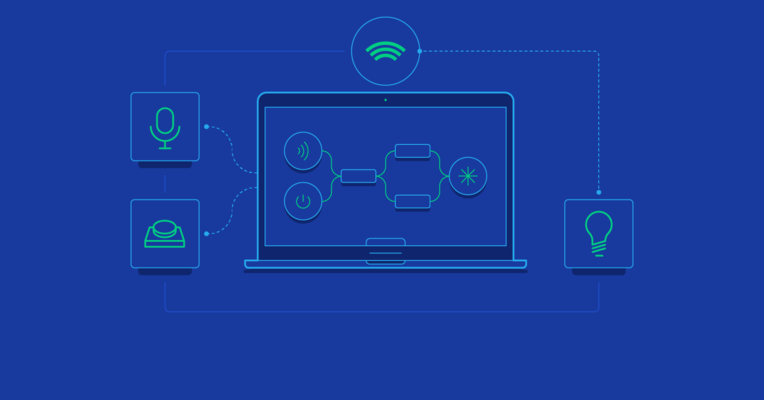
Writing programs in text works, and in most cases it works well. However, the ability to express programs visually is often desirable. Being able to design the flow of information through various components of a larger system is often all that is needed. Visual programming tools are also lenient towards anyone who is new to programming and struggling to handle various concepts like variables, pointers, signals, scopes, and so on.


Node-RED is a tool for programming visually. It displays relations and functions visually, and allows the user to program without having to type a language. Node-RED is a browser-based flow editor where you can add or remove nodes and wire them together in order to make them communicate with each other.

In Node-RED, every node is one of the following two types: an inject node or a function node. Inject nodes produce a message without requiring any input and push the message to the next node connected to it. Function nodes, on the other hand, take an input and perform some work on it. With a plethora of these nodes to choose from, Node-RED makes wiring together hardware devices, APIs, and online services easier than ever.

For detailed information about this project follow the link.
https://www.toptal.com/nodejs/programming-visually-with-node-red

Monday, August 01, 2016

Building the "landing" page for the Dream Keybord


BY LÁSZLÓ MONDA - FREELANCE SOFTWARE DEVELOPER @ TOPTAL


As an engineer, all I could see ahead was product development and technical challenges. However, marketing is just as important and must not be overlooked. A good landing page is a must-have.

Luckily for us, we realized that there’s a lot to do before we start our crowdfunding campaign, and an attractive site could turn this otherwise idle time to our advantage by capturing people’s attention, generating more subscribers and priming us for the campaign.

So, the development of the Ultimate Landing Page for our Ultimate keyboard began in earnest.


For detailed information about this project follow the link.
https://www.toptal.com/designers/web/a-landing-page-design-guide


Friday, July 15, 2016

Arduino based Developer's Dream Keyboard


BY LÁSZLÓ MONDA - SOFTWARE ENGINEER @ TOPTAL


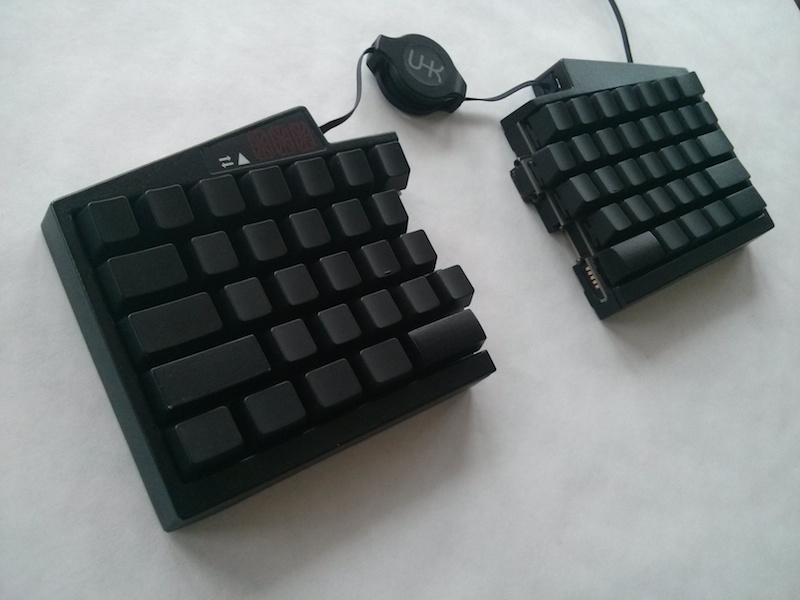
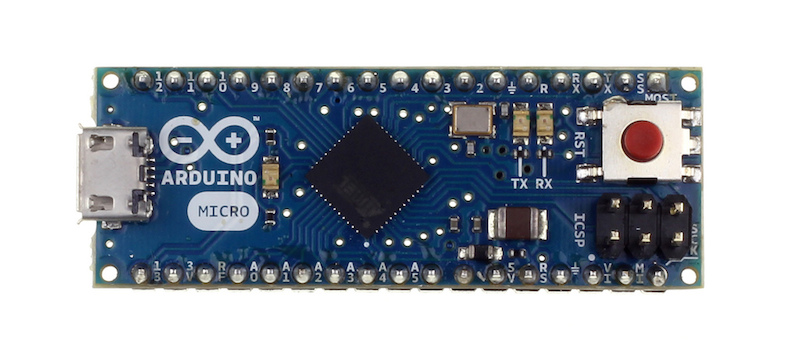
 The Arduino Micro development board is an ideal candidate for this purpose, because it features the ATmega32U4 microcontroller - an AVR microcrontroller and the same processor that is the brains of the UHK.


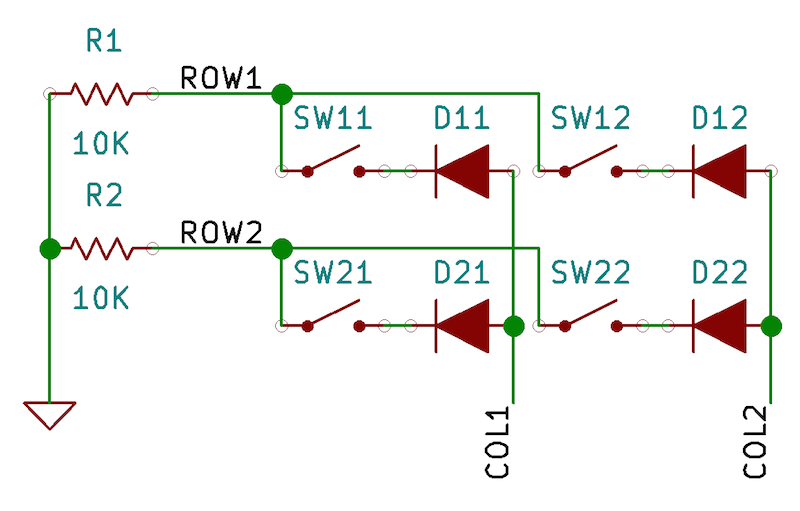
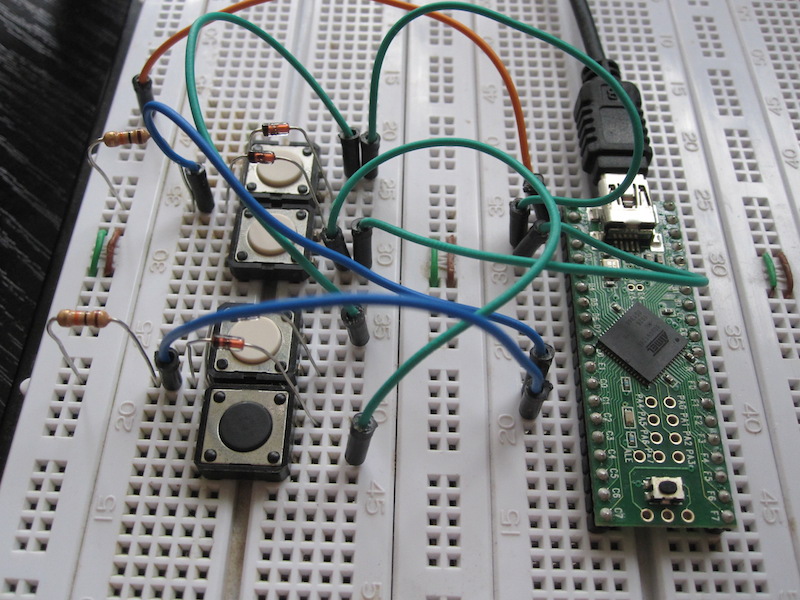
A full-sized 104-key keyboard could have 18 rows and 6 columns but we’ll simply have a humble 2x2 keyboard matrix for starting up. This is the schematic:


And this is how it looks on a breadboard:


For detailed information about this project follow the link.

Tuesday, May 31, 2016

How I Made a Fully-Functional Arduino Weather Station


BY FRANCISCO SANCHEZ CLARIÁ - SOFTWARE DEVELOPER @ TOPTAL


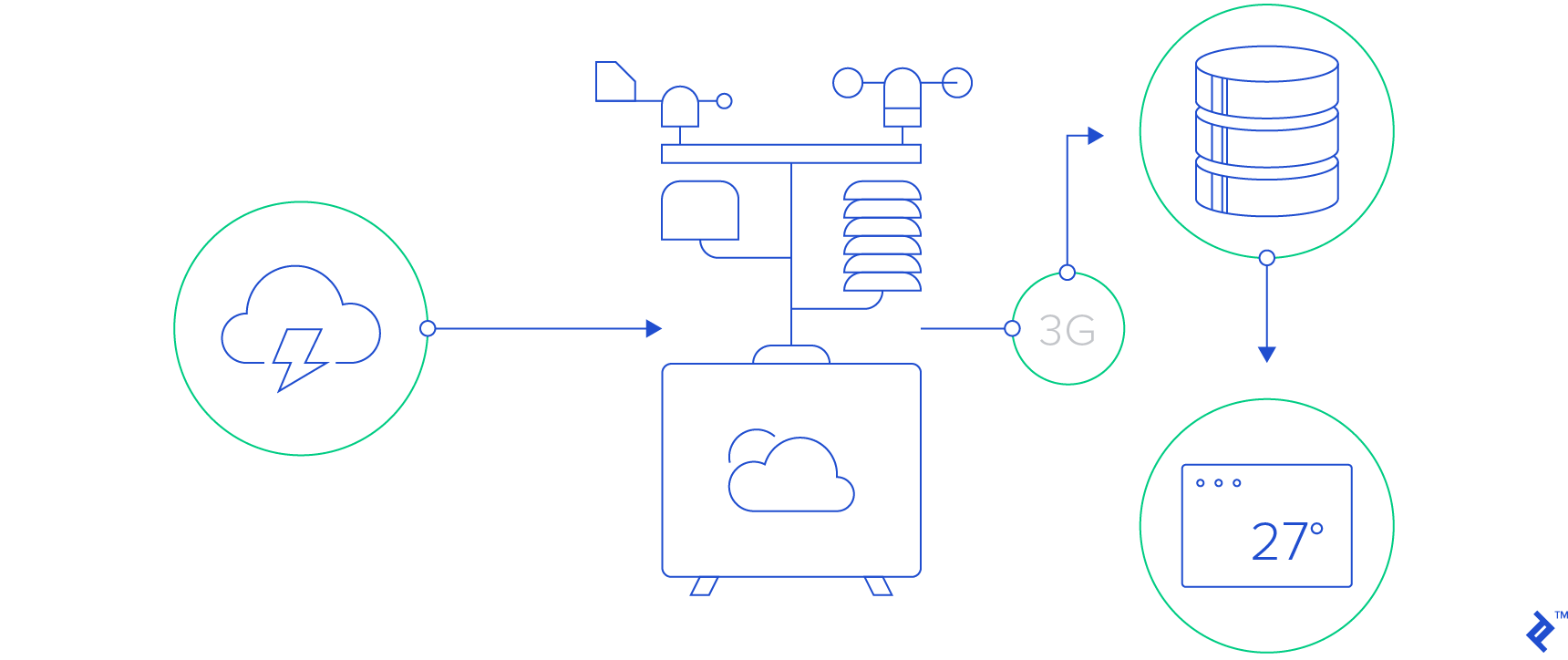
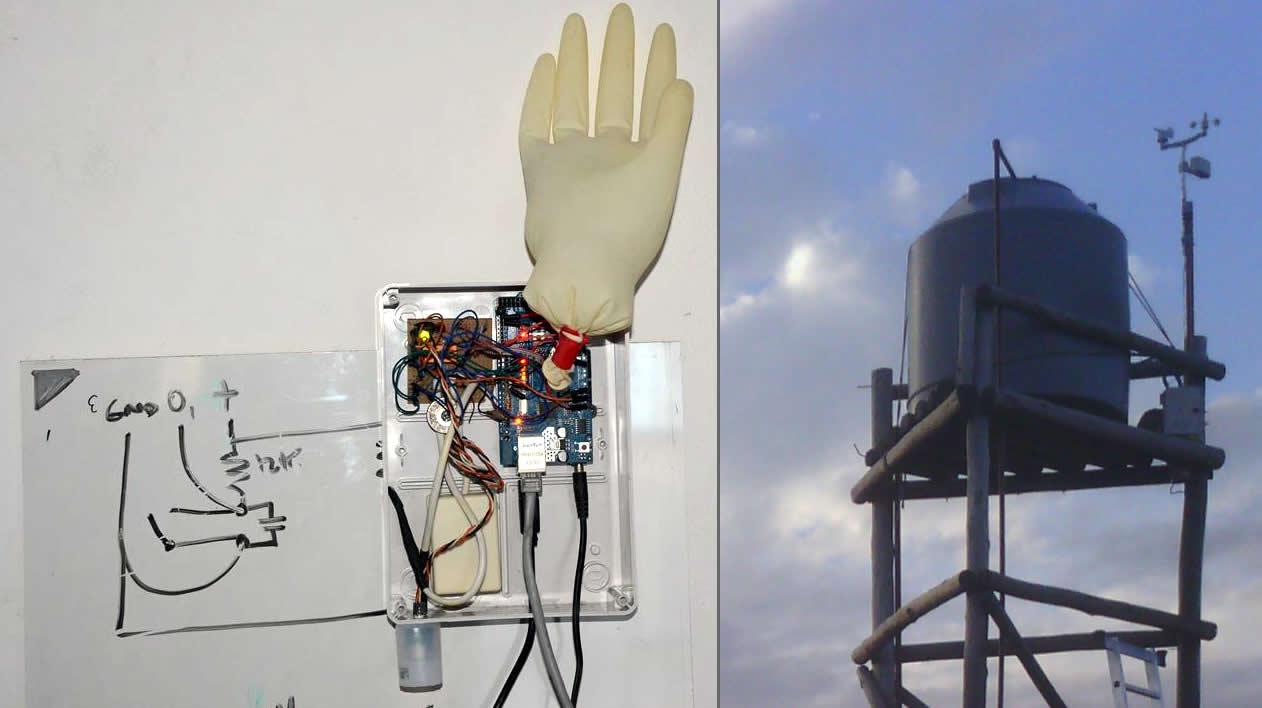
The goal of this project was to deliver real-time weather data to the browser at home.
The key questions and caveats involved in a project like this:

  • How can I create a weather station that it is neither valuable nor attractive to a thief?
  • How can I keep hardware costs and development time to the minimum?
  • How can I measure and access weather data in real time and display it in a useful way?
  • Required measurements: wind and wind gusts, wind direction, rain, atmospheric pressure, temperature, humidity
  • Connect station to Internet
  • Store and retrieve local weather data
  • Communicate between weather station and server
  • How can I reduce maintenance to (almost) zero?
  • Manage hanging of software
  • Manage loss of connectivity
  • Manage loss of energy supply


For detailed information about this project follow the link.
How I Made a Fully-Functional Arduino Weather Station


Friday, May 06, 2016

Arduino Your Home & Environment: Monitoring voltage of a dc battery supply

Arduino Your Home & Environment: Monitoring voltage of a dc battery supply by Steve Spence:


Since we are involved in off grid solar power systems, we have a need to monitor battery voltage. The Arduino can do this easily with a simple voltage divider. With some simple mods, we can control loads, generators, or notifications based on battery voltage.


To read a maximum of 20vdc, R1 should be 3k ohm, R2 should be 1k ohm, and the code would be as follows:


/*

DisplayMoreThan5V sketch

prints the voltage on analog pin to the serial port

Do not connect more than 5 volts directly to an Arduino pin.

*/


const int referenceVolts = 5; // the default reference on a 5-volt board

//const float referenceVolts = 3.3; // use this for a 3.3-volt board


const int R1 = 3000; // value for a maximum voltage of 20 volts

const int R2 = 1000;

// determine by voltage divider resistors, see text

const int resistorFactor = 255 / (R2/(R1 + R2));

const int batteryPin = 0; // +V from battery is connected to analog pin 0


void setup()

{

Serial.begin(9600);

}


void loop()

{

int val = analogRead(batteryPin); // read the value from the sensor

float volts = (val / resistorFactor) * referenceVolts ; // calculate the ratio

Serial.println(volts); // print the value in volts

}